Compress PDF Files Online for Free
Reduce PDF file size for email, upload forms and sharing. Keep the text selectable, or squeeze scanned documents as small as possible. No sign up, and your PDFs never leave your device.
- 100% PrivateImages never leave your device
- Fast & EasyWorks in seconds
- Free ForeverNo sign up required
Select PDFs
Drag and drop your PDF files here, or click to browse files.
PDF • Up to 20 files, 100 MB each
Compression Settings
Usually looks the same at normal viewing size.
Larger images are scaled down to this size. Phone photos are often 4000 px or more.
How to Compress a PDF
- 1Upload your PDFsSelect or drag & drop up to 20 PDF files.
- 2Pick a modeKeep text, or Strongest for scans.
- 3Compress & downloadSave each PDF or all of them as a ZIP.
- Stays on Your DeviceSafe for contracts, IDs and statements.
- No Upload to ServerAll processing happens in your browser.
- Unlimited & FreeCompress as many PDFs as you need.
Real Results
Our own files, processed with compresshive in Chrome 140. Enlarged details are cropped from each result. Your results will vary with the file and browser.
Example: a PDF of phone photos
Three full-size iPhone photos placed on A4 pages, the way scanned documents and photo reports often end up.
- Keep text, quality 70%, images up to 2000 px (default)1.2 MB-93%
- Strongest, quality 70%, 150 dpi553 KB-97%
What this shows: Most of a photo PDF's size is the photos, so both modes save a lot. Keep text shrank the photos and left everything else alone; Strongest re-drew each page as one image at 150 dpi.
Example: a document with text and screenshots
One of our own web pages saved as a PDF from Chrome: mostly text and icons, with a few small images. The details show the same paragraph enlarged.
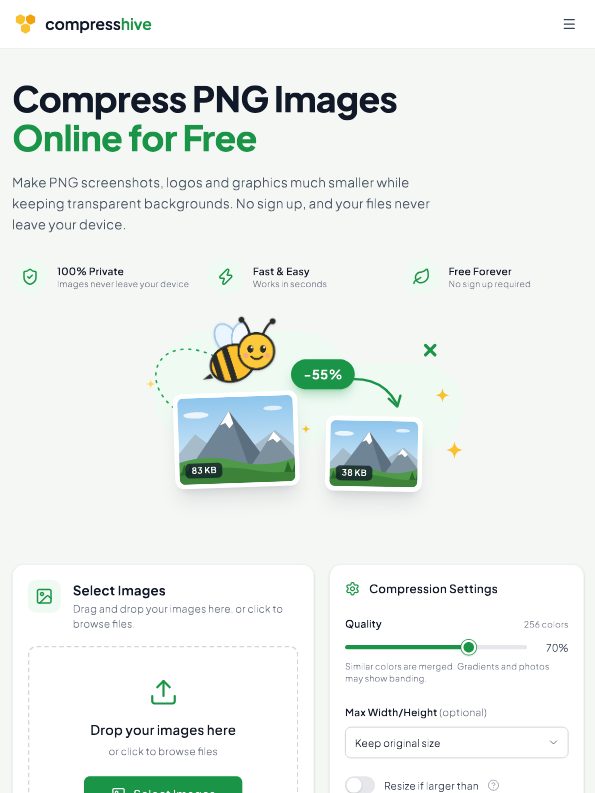
Original: 1.2 MB
Our Compress PNG page, printed to PDF · 5 pages
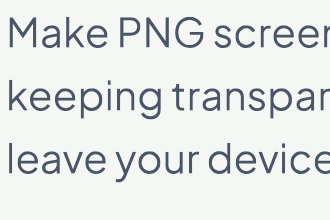
Original PDF1.2 MB 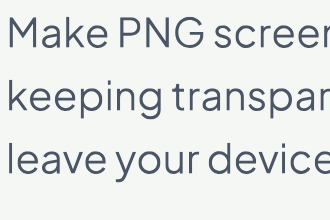
Keep text, 70% (default)1 MB-15% 
Strongest, 70%, 150 dpi559 KB-53%
What this shows: Here most of the size is text and graphics, so Keep text saved only 15%, and the text is untouched: sharp, selectable and searchable. Strongest saved 53%, but the text became part of a picture, slightly soft when enlarged and no longer selectable.
Which Mode Should You Use?
A PDF is usually large because of the pictures inside it: scans, photos and screenshots. Text and drawings take up very little space. Both modes work on the pictures; they differ in what happens to everything else.
| Keep text | Strongest | |
|---|---|---|
| What it does | Shrinks the photos and scans inside the PDF | Turns every page into one image |
| Text | Stays sharp, selectable and searchable | Becomes part of the picture |
| Links, forms, bookmarks | Kept | Removed |
| Best for | Documents with photos, reports, brochures | Scanned documents, when the smallest file matters most |
Getting the size down further
- Lower the image quality. 60–70% is fine for most documents; go to 80% or more for photos that need to look their best.
- Lower the max image size or resolution. 1200–1600 px images, or 100 dpi pages, are enough for reading on screen.
- Try Strongest for scans. A scanned page is already a picture, so nothing is lost by turning it into one.
When a PDF won't get smaller
A PDF that is mostly text, or one that was already compressed, has little left to remove. If a new copy wouldn't be smaller, you get your original back. Some kinds of images, such as black-and-white fax-style scans, are left as they are in Keep text mode; try Strongest for those.
Things to know
- Password-protected PDFs can't be compressed. Remove the password first.
- Compressing a digitally signed PDF makes its signature invalid. Compress before signing.
- Need smaller images to put in a PDF? Use the image compressor or resize them first.
More tips in How to reduce PDF file size (without uploading it).
Frequently Asked Questions
How do I reduce the size of a PDF?
Upload it above and press Compress. Keep text mode shrinks the images inside and leaves the text as it is. For scanned documents, Strongest usually makes the smallest file. Lower the image quality or resolution for even smaller files.
Are my PDFs uploaded to a server?
No. The PDF is read and rebuilt by your own browser, so the file never leaves your device. That makes it safe for contracts, bank statements and ID documents.
Will the text stay selectable?
Yes, in Keep text mode. Strongest turns each page into an image, so the text can no longer be selected or searched.
Why didn't my PDF get much smaller?
Text-only PDFs are already small, and some PDFs were compressed before. Most of a PDF's size usually comes from photos and scans, so those shrink the most. If a new copy wouldn't be smaller, you get your original back.
How many PDFs can I compress at once?
Up to 20 PDFs at a time, each up to 100 MB. Download them one by one or all together as a ZIP file.